Usage
whosup                # interactive table
whosup -u             # only services you started (also --user)
whosup -p 8080        # show what's on one port (also --port)
whosup -p 8080 -q     # print only the PID(s) on that port (also --pid)
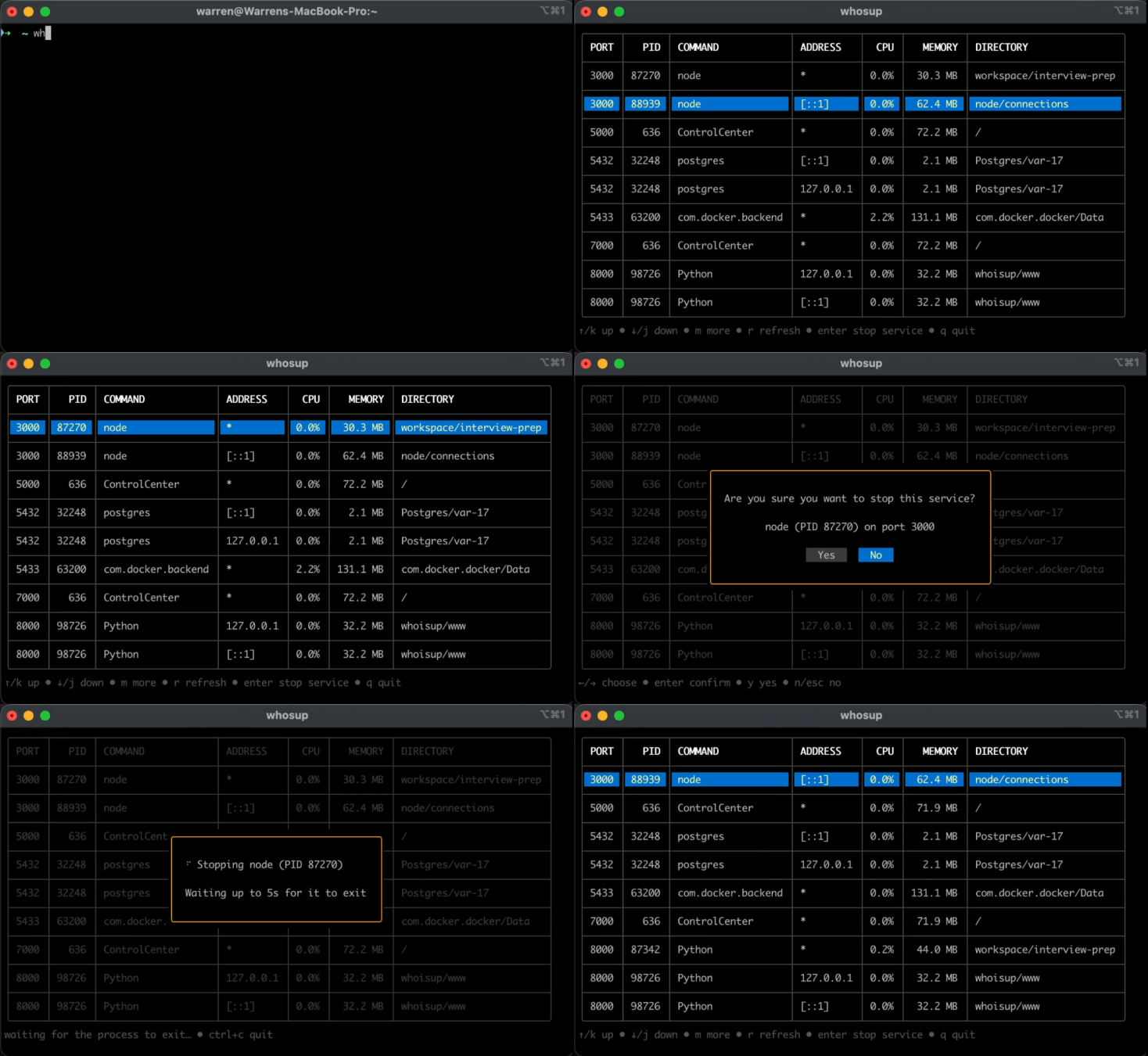
Keys
| Key | Action |
|---|---|
↑ / k |
Move up |
↓ / j |
Move down |
m |
Show the row's full details |
r |
Refresh the list |
enter |
Stop the selected service |
q / esc |
Quit |
In the stop dialog, use ← / → to choose, enter to confirm, or y / n as shortcuts. The dialog defaults to No.
Notes
-u/--userhides processes owned by other users and programs that ship with the OS (anything under/System,/usr/libexec,/usr/sbin,/sbin,/usr/libor/lib).-pignores it and always shows whatever is on the port.- Without
sudo, only your own processes are shown in full. Others may be missing or show-. - Only TCP ports that are listening are shown. UDP isn't included.